The Facebook Ads Library, which Meta calls the Ad Library, shows every ad running on Facebook, Instagram and Meta's other apps. This guide runs it as six jobs: find a brand, search a keyword, filter by country, read how long an ad has run, save a creative, read a video's script. Where the Library stops, a free tool takes over.
The Library is at facebook.com/ads/library. It is free and needs no account. Set a country, keep the category on « All ads », then type a brand or a keyword.
Job
In the Ad Library
Where the Library stops
Find one brand's ads
Type its name, pick its Page under « Advertisers »
Every active ad on Meta's apps. Meta's wording: the Ad Library « contains all active ads that are shown across Meta technologies ». Its platform filter lists Facebook, Instagram, Audience Network, Messenger, WhatsApp and Threads. An ad appears within 24 hours of its first impression.
Anyone can open it. Meta's FAQ: « Anyone can explore the ad library, with or without a Facebook account. » Reporting an ad and viewing age-restricted ads need a login.
How long an ad stays depends on where it ran.
A commercial ad is shown while it runs.
An ad that ran anywhere in the EU stays for a year. So does an ad that ran in the UK after July 1, 2025.
An ad about social issues, elections or politics stays for seven years.
That is why a US brand that also sells in Europe shows inactive ads, and a US-only brand does not.
One library, three names. « Facebook Ads Library », « Facebook Ad Library » and « Meta Ad Library » are the same tool. Meta calls it the Ad Library, and on this site the ads in it are called Meta ads.
[ Job 1 ]
Search by brand
Open facebook.com/ads/library. Choose a country in « Select country » and leave the category on « All ads ».
Type the brand's name in the box that reads « Search by keyword or advertiser ».
Do not press Enter yet. Under « Advertisers », the Library lists the Pages that match, each with its Facebook and Instagram handles and its follower count. Click the Page.
You now see that Page's ads and nothing else. The difference matters: pressing Enter runs a keyword search instead, headed « These results include ads that match your keyword search », and returns every advertiser whose ad contains the word.
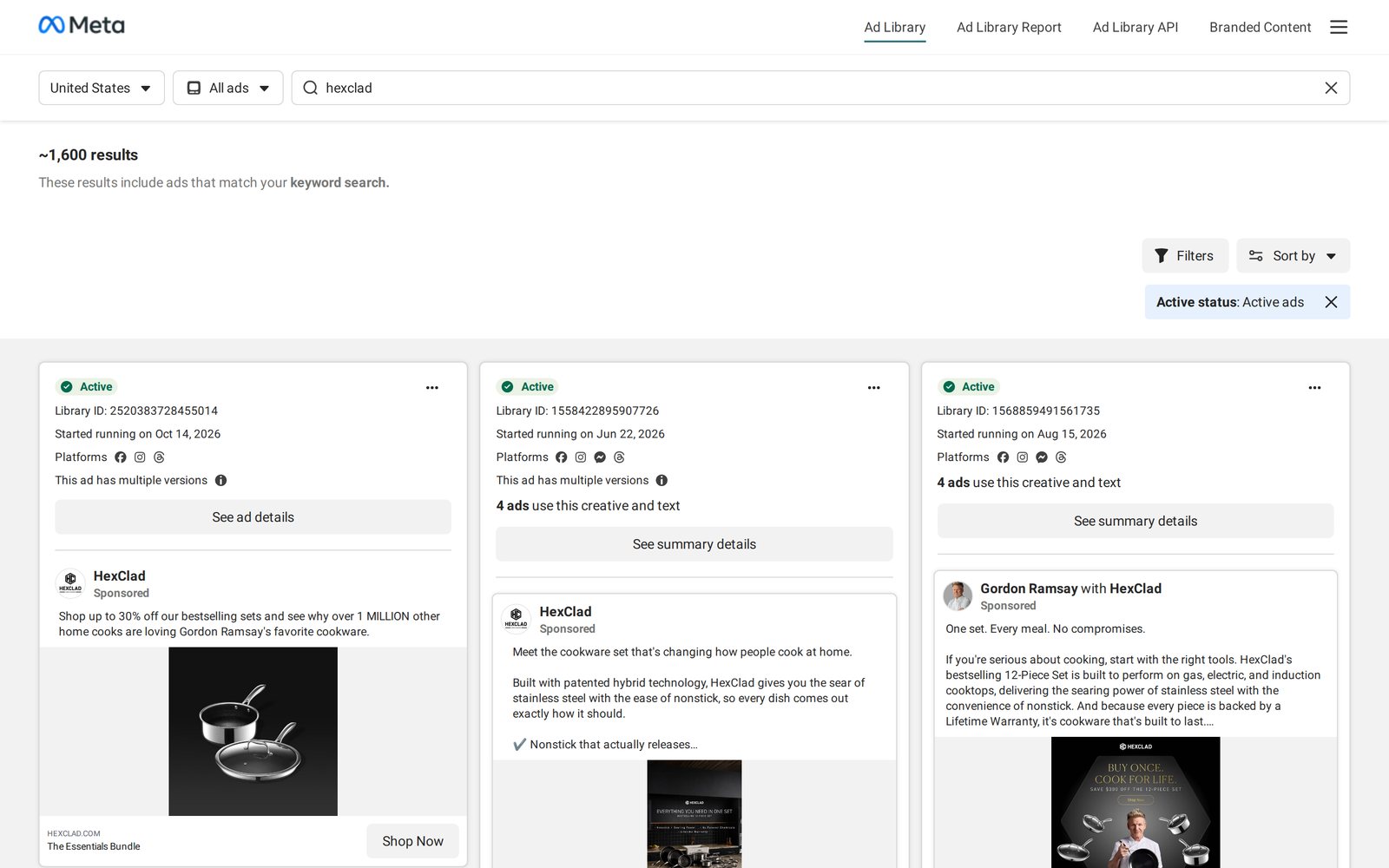
The Library on November 21, 2026: a keyword search on a brand's name, set to the United States and « All ads ». About 1,600 results, because other advertisers mention the brand too.
From the brand's Facebook Page. Open the Page, go to About, then « Page transparency », then « See all ». The window that opens has « Ads from this Page » and a « Go to Ad Library » link.
A brand can run several Pages. The advertiser view shows « Similar regional ads » with a « View Ads » button for the brand's other Pages. A creator's Page running the brand's ad is a separate advertiser: find those with a keyword search on the brand's name.
Skip the countEnter a brand's website and get its live ads, what it launched this week and its longest-running ad.
A keyword search reads the ads' text. Meta's « search tips » document three behaviours, and no more:
sensitive stomach finds ads that contain both words, in any order.
"sensitive stomach" finds that exact phrase. The Library offers it as you type: « Search this exact phrase ».
"sensitive stomach" "vet approved" finds ads that contain both phrases.
Meta documents no OR, no minus sign and no wildcard, so do not build a search on them.
Search what a customer says, not what the product is called. A product name returns the brands you already know. A complaint in quotation marks returns everyone who advertises on that promise, including brands outside your category.
Narrow by what the ad is made of. In Filters, « Media type » keeps only images, memes or videos. Two of its options search inside the creative: « Images with text » looks for your keyword on the image, and « Keyword within video transcript or ad copy » looks for it in what a video says.
Start from the niche insteadFacebook ad examples sorted by niche and by format, each ranked inside its brand.
The country comes first. « Select country » has a search box, your current location, « All », then every country. A search set to the United States shows the ads delivered there. « All » shows an advertiser's ads everywhere.
The category. Five choices: « All ads », « Issues, elections or politics », « Housing », « Employment » and « Financial products and services ». For a brand's ads, stay on « All ads ».
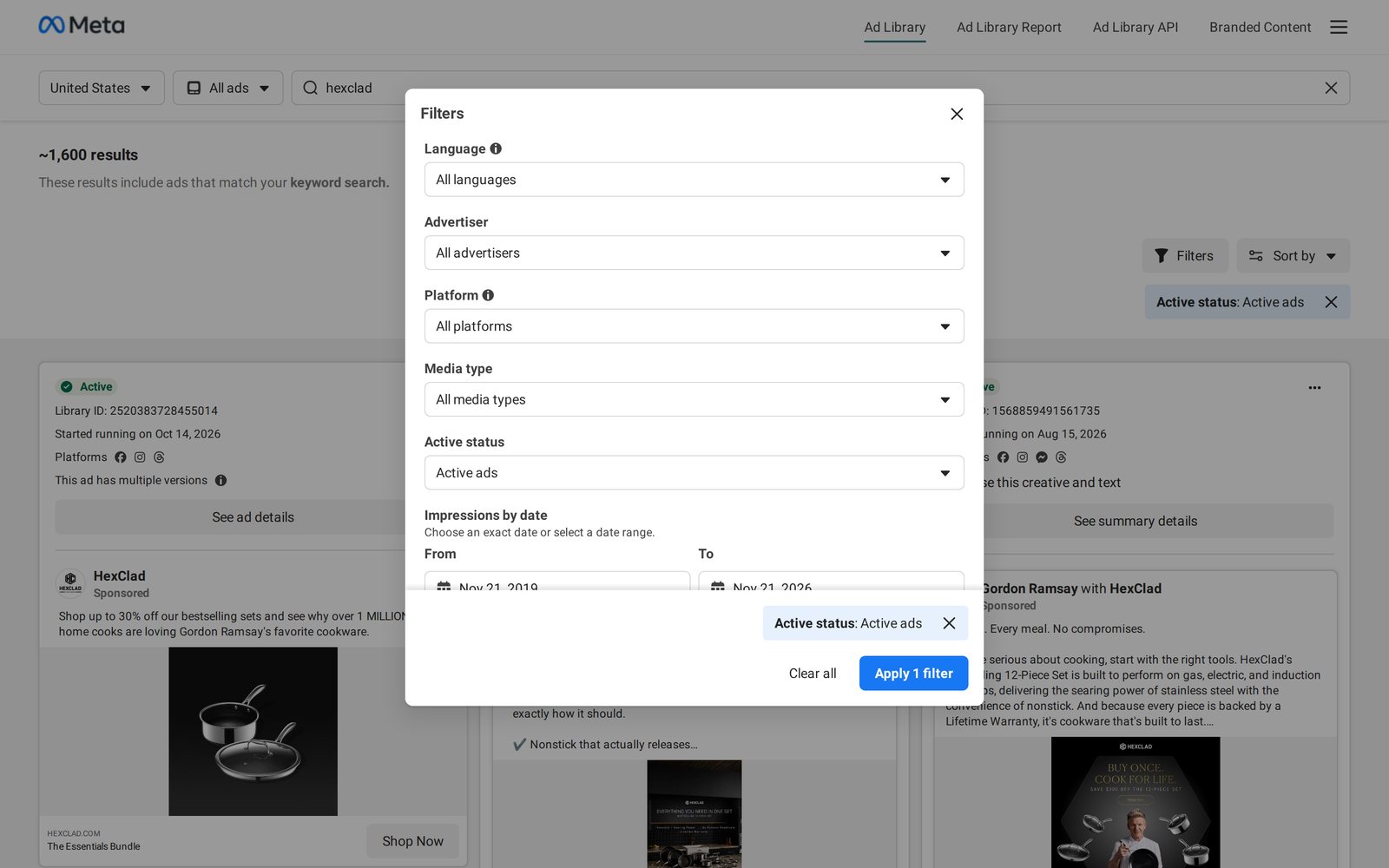
The Filters panel has six filters, in this order:
Language. An ad written in more than one language drops out when this filter is on.
Active status. « Active and inactive », « Active ads », « Inactive ads ».
Impressions by date. An exact date or a range.
The Filters panel on November 21, 2026.
Sort by. Two options: « Impressions: high to low », selected by default, and « Most recent ». The first is an order, not a number: the Library never prints how many impressions a commercial ad had. It is still the most useful thing on the page, because it puts the ads Meta shows the most at the top.
The EU and UK block
An ad that delivered in the EU carries an « EU transparency » tag. Open « See ad details » and look for « Transparency by location », with a tab for the European Union and one for the United Kingdom. It shows:
The audience: the locations included or excluded, the age range, the gender.
The reach: one estimated number, then a table by country, age and gender.
The advertiser and the payer, in the EU tab.
It is the only audience figure Meta publishes for a commercial ad. A US brand that ships to Europe shows it; a US-only brand shows nothing.
[ Job 4 ]
Read how long an ad has run
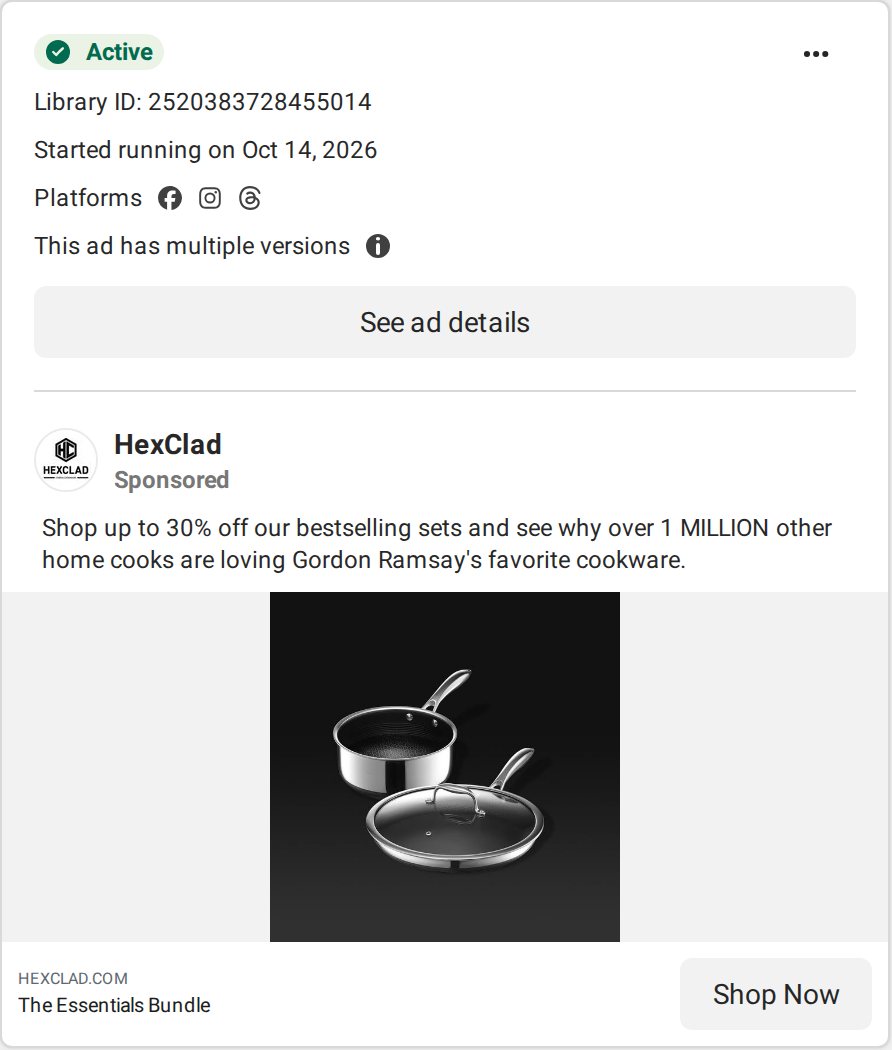
Each card carries, from top to bottom: an « Active » or « Inactive » badge, the « Library ID », « Started running on » with a date, the platforms as icons, and sometimes two more lines.
One card on November 21, 2026: active, started on Oct 14, on Facebook, Instagram and Threads, with several versions.
« Started running on ». Count the days to today. A brand switches off what loses money, so an ad still active after weeks is one it keeps paying for. An inactive ad shows a date range instead.
« N ads use this creative and text ». The same creative runs as several ads: the brand is scaling it. The button then reads « See summary details ».
« This ad has multiple versions ». Meta's tooltip: the advertiser gave several images and texts and the system combines them. It says the ad is assembled automatically, not that it works.
Read the three together, and with the ad's place in the default order. Old, duplicated and near the top is the strongest sign the Library gives. Old alone can be a forgotten ad.
The days, already countedPaste an Ad Library link: start date, days running, copies live and the ad's rank in its brand.
Keep the link. The « … » menu of a card has « Copy Ad Link », which gives an Ad Library address for that one ad. It works while the Library still holds the ad: for a commercial ad outside the EU and the UK, that means while it runs.
The file itself. A card has no button to save its video or its image. We looked for one logged out, on commercial and on political searches, and found none.
A list of results. Meta's Business Help says: « You can download Ad Library searches, but you must be logged in to Facebook and agree to the Terms of Service. » We did not test what that download contains.
The Ad Library API is narrower than its name. It returns ads about social issues, elections or politics from anywhere, and ads of any type delivered to the EU or the UK in the past year. A commercial ad that only ran in the United States is not in it. Access needs a Facebook account, a confirmed identity and a developer app.
Save the videoPaste an Ad Library link and download the ad's video or image, for the ads WhatScales stores.
The Library plays a video and shows its copy. It does not show what the video says. The « Keyword within video transcript or ad copy » filter proves Meta has the words, but it only uses them to match your search.
The script is where a video's structure shows: the first line, the turn to the product, the proof, the offer. Reading five scripts from one brand shows what it repeats.
The script, on paperPaste an Ad Library link and read the video's transcript, for the ads WhatScales has transcribed.
Not shown; only the order « Impressions: high to low »
« Impressions », as a range
Clicks, sales, ROAS
Not shown
Not shown
Audience
Only for ads delivered in the EU or the UK: location, age, gender, estimated reach
« Estimated audience size », age, gender and location shares
Who paid
Advertiser and payer, in the EU block
« Paid for by »
History
None outside the EU and the UK once the ad stops
Seven years
Three more things it leaves to you: there is no search by niche or by format, no way to follow a brand and be told what it launched, and no place to keep the ads you found.
Three things older guides get wrong. Since October 6, 2025, political, electoral and social issue ads no longer run in the EU. The finance category reads « Financial products and services ». And the platform filter now lists WhatsApp and Threads next to Facebook, Instagram, Messenger and Audience Network.
[ Worked example ]
From a brand's Library page to a test list
HexClad is the brand in the screenshots above. Here is what its Meta ads look like today in the ads we store, and the list a strategist would write from them.
Open the brand. Its Page under « Advertisers », category « All ads », status « Active ads ». The HexClad Page read here has 525 live ads today.
Keep the default order. « Impressions: high to low » puts the ads Meta shows the most first. The three below are that Page's first three today.
Read three things on each. The start date, the number of ads that use the same creative, and what the ad opens on.
Write one line per ad: the format, the opening, the promise. That list is your test list.
#1of 525live adsTop 1%
HexCladHome · Kitchen & cookware
Rank in brand#1 / 525Steady for 3 days
Running77 dayssince Sep 8
Copies live1one version
Static
Awareness
Image
Creative read · Demo hook
Angle
innovative kitchen prep surface
Emotion
Curiosity
Awareness
Problem aware
HexClad Hybrid Carving and Roasting SetDiscover the latest revolutionary hybrid cookware
I only cook with HexCladWhat type of cookware do I use at home? Only HexClad 👉 it’s just that good. Built with hybrid technology, this is how I cook my dishes to absolute perfection. 🔥 ✔️ Nonstick for easy cleaning ✔️ Even heat distribution ✔️ Sears to…
I only cook with HexCladWhat type of cookware do I use at home? Only HexClad 👉 it’s just that good. Built with hybrid technology, this is how I cook my dishes to absolute perfection. 🔥 ✔️ Nonstick for easy cleaning ✔️ Even heat distribution ✔️ Sears to…
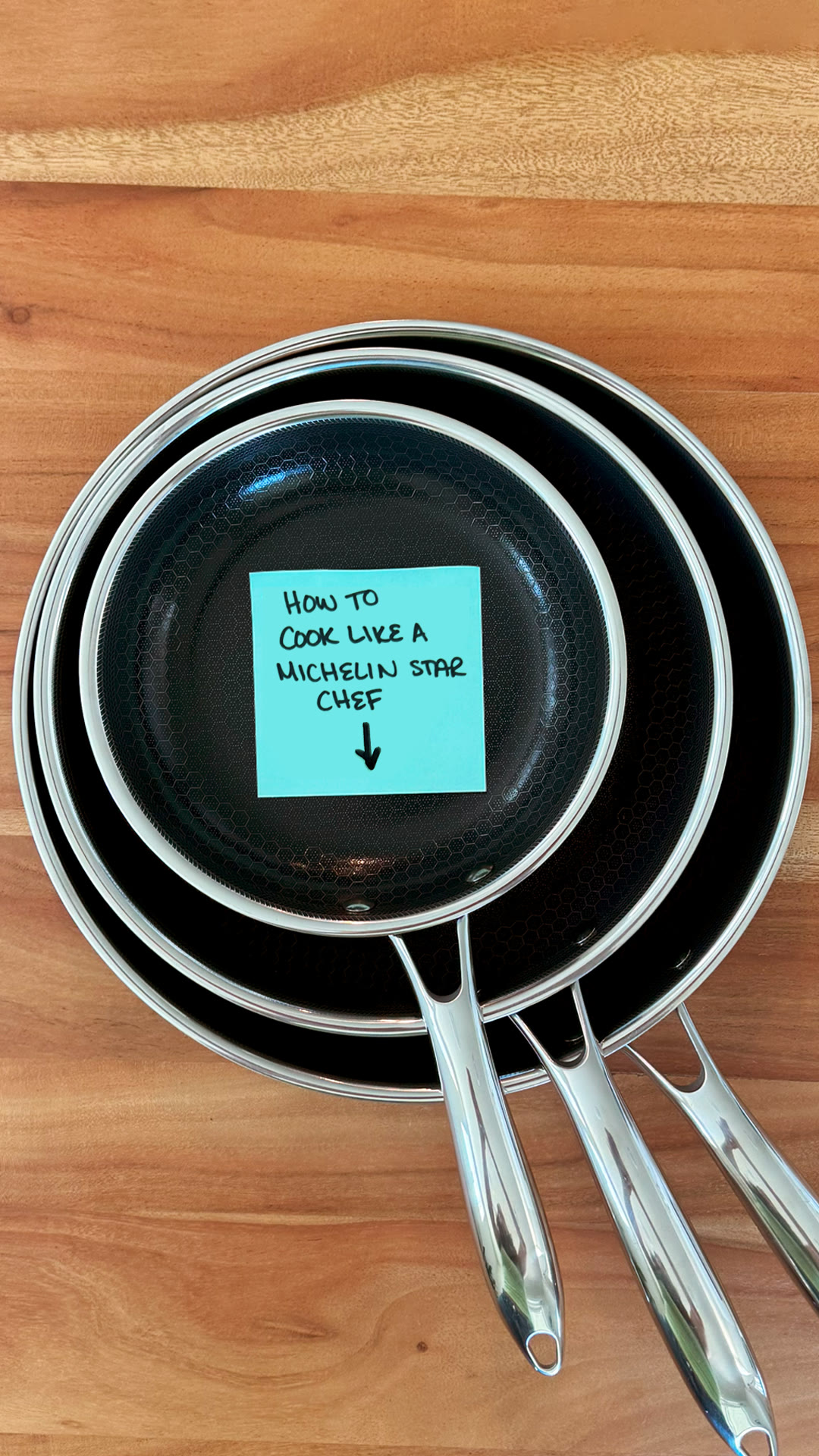
Static, Bold claim hook Angle: cook like a Michelin star chef
Static with a Bold claim hook, on our own promise
#3 of 525
Running 35 days, 3 copies live
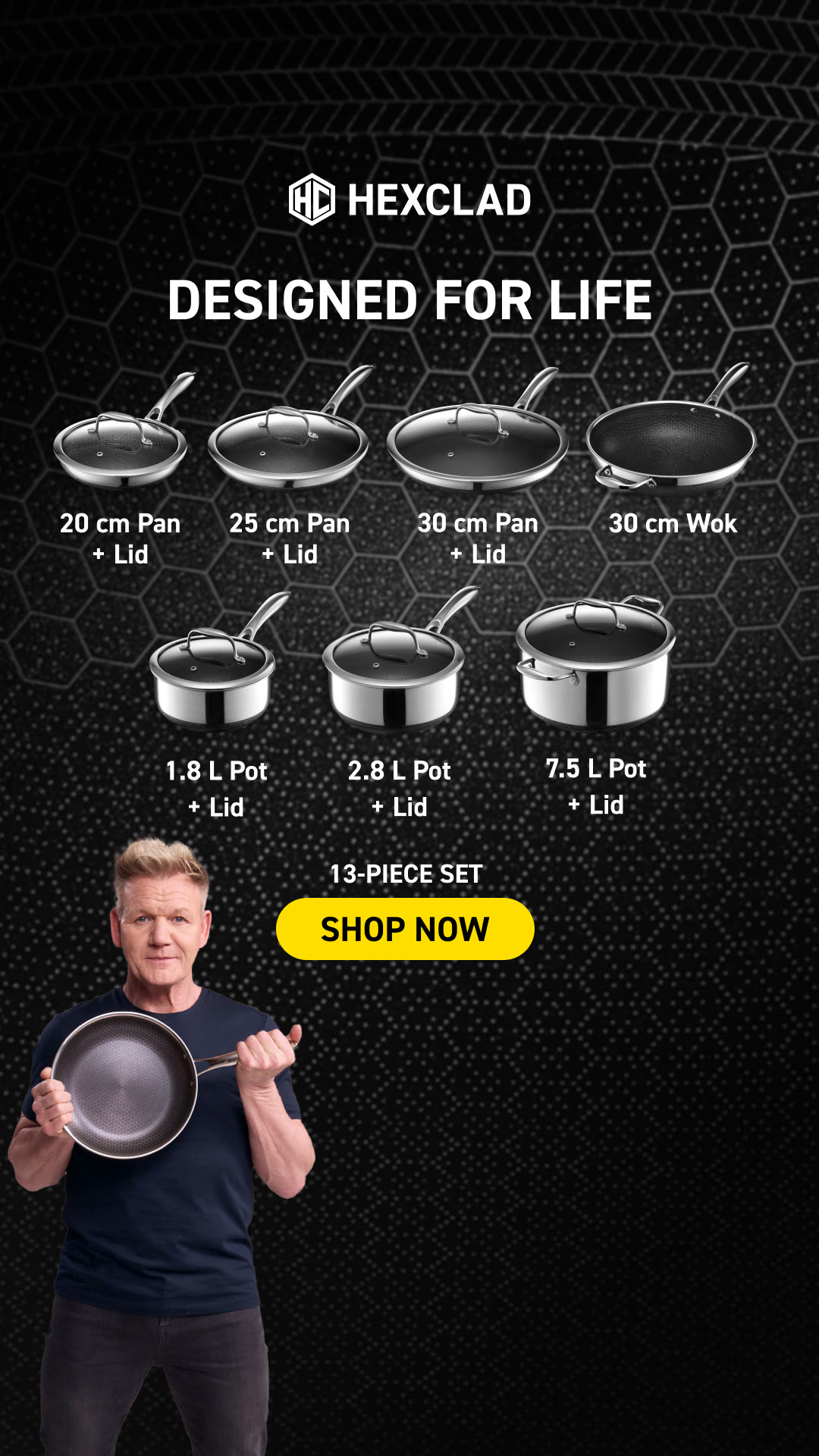
Static, Callout hook Angle: cook like Gordon Ramsay with premium cookware
Static with a Callout hook, on our own promise
The first two columns are on the Library's cards. The format, the hook and the angle are WhatScales' reading of the ad: in the Library you write them yourself after watching it. Rank and days as of November 24, 2026.
[ Next ]
When the Library is not enough
The Library answers one question well: what is this brand running right now? It gets slow when the question is wider.
Yes. Meta's own FAQ says anyone can explore the Ad Library, with or without a Facebook account; we searched it with no account and paid nothing. Reporting an ad and viewing age-restricted ads need an account.
Is the Meta Ad Library the same as the Facebook Ads Library?
Yes. Meta's name for it is the Ad Library; people search for it as Facebook Ads Library, Facebook Ad Library or Meta Ad Library. It is one tool, at facebook.com/ads/library, and it covers Facebook, Instagram, Messenger, Audience Network, WhatsApp and Threads.
Does the Facebook Ads Library show how much an advertiser spends?
Not for ordinary commercial ads: no spend, no impressions figure, no clicks, no sales. Only ads about social issues, elections or politics show a spend range and an impressions range. Ads delivered in the EU or the UK show an estimated reach.
How far back does the Facebook Ad Library go?
Commercial ads are shown while they run. Ads that ran in the EU stay for a year, and so do ads that ran in the UK after July 1, 2025. Ads about social issues, elections or politics stay for seven years.
Why can't I find an ad in the Ad Library?
Four usual reasons: the ad stopped running and never ran in the EU or the UK; the country selector is set to a country the ad does not run in; the ad is age-restricted and you are logged out; or it started less than 24 hours ago, the delay Meta gives for an ad to appear.
Can I download a video from the Facebook Ads Library?
A card has no button to save its video or image; its menu offers « Copy Ad Link ». For the ads WhatScales stores, the free Ad Library video downloader on this site saves the video from that link.
Can I see TikTok ads in the Facebook Ads Library?
No. It holds the ads on Meta's own apps only. WhatScales shows TikTok ad examples next to Meta ads.
[ Sources and method ]
How this guide was checked
The Library itself, opened without logging in on November 21, 2026, with US-English labels. Every label in quotation marks is copied from the screen that day. In UK English a few differ: « Housing » reads « Properties ».
Meta's Business Help, « About the Ad Library »: which ads it holds, the 24 hours, the retention rules, the sentence on downloading searches.
The Library's own landing page and FAQ: who can use it, the seven years, the EU and UK year.
Meta's Ad Library API page and its release notes: what the API covers and what access needs.
Meta's newsroom, July 2025: the end of political, electoral and social issue ads in the EU.
Not checked: anything that needs a login, including the download of a search. The worked example uses the ads WhatScales stores for one brand, read from Meta's Ad Library and ranked in Meta's own order; Meta publishes no spend or results for them, and neither do we. Meta changes labels without notice: if a screen no longer matches, the date above tells you how old this page is.
The Library shows one brand. WhatScales shows the niche.
Every ad your competitors run on Meta and TikTok, as a video, ranked inside its brand every day, with its hook, angle and transcript.
7 days free · plans from $49 a month · cancel any time
Free · every Monday
Get the new trending ad formats on Meta, every week
The formats DTC brands just started scaling, with the real ads and who runs them. One email a week, one click to stop.
No spam. We never share your email.
We use the cookies WhatScales needs to keep you logged in and safe. With your OK, we also use Google Analytics on our website to see which pages bring visitors. Cookie policy
Cookie settings
Choose what WhatScales may store on this device. You can change this any time from the footer or your Account page. Details
Essentialalways on
Your login session, this choice, the security check on sign-up, and the app's own settings in your browser. WhatScales can't work without them.
Analytics
Google Analytics on whatscales.io, to see which pages bring visitors and sign-ups. Until you switch it on, it sets no cookie and only receives anonymous signals without any identifier.
Marketing
Would measure our own ads on other sites. Not used today: nothing loads even if you switch it on.
 #1of 525live adsTop 1%
 HexCladHome · Kitchen & cookware